How to Do a Carousel Post on Instagram: The Complete Guide

Instagram content keeps evolving, but one format continues to dominate for engagement, storytelling, and watch-time: the Instagram carousel. If you’ve ever wondered how to do a carousel post on Instagram, how to design one that performs, or how top creators use carousels to drive reach, this guide has every answer you need.
With Instagram prioritizing multi-slide content, learning this format is essential – whether you’re a creator, business, or casual user who wants more visibility.
Below, you’ll find a complete walkthrough of how carousels work, how to create them, best dimensions, templates, tools, and strategic tips to maximize performance.

What Is an Instagram Carousel?
An Instagram carousel is a single post containing multiple photos and/or videos that users can swipe through horizontally. Think of it as a mini slideshow or a digital photo album inside your feed.
Creators use carousels to:
- Tell stories
- Share tips
- Show before-and-after transformations
- Create educational content
- Showcase products
- Deliver step-by-step tutorials
You can add up to 20 pieces of content (Instagram increased this from 10), including both images and video clips. You’ll recognize a carousel by the small “stacked photos” icon in its top-right corner.
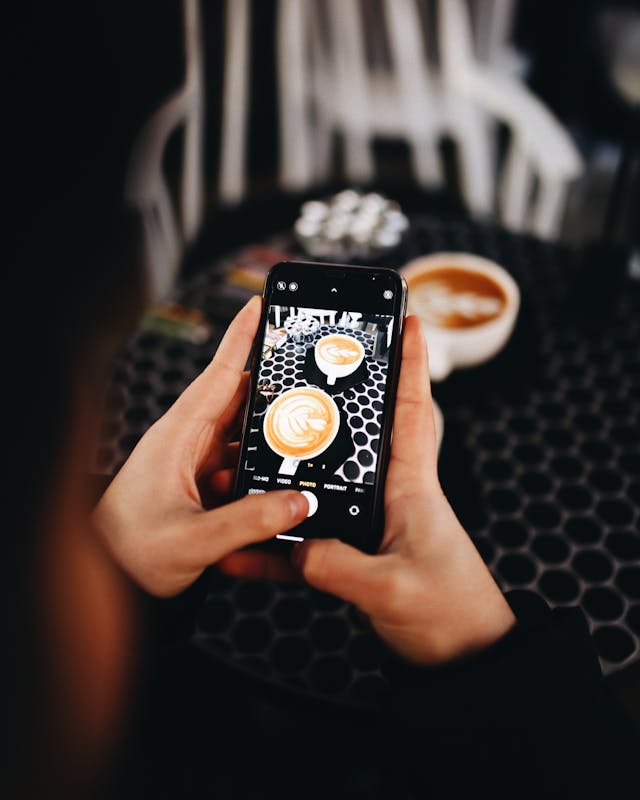
How to Do a Carousel Post on Instagram (Step-by-Step)
Creating a carousel post on Instagram is simple. Here’s the full walkthrough:
- Open the Instagram App: Launch Instagram on your phone.
- Go to the Home Screen: Tap the “+” icon at the bottom.
- Select “Post”: Choose the standard post option from the menu.
- Tap the Multi-Select Icon: This is the square icon with overlapping photos – your gateway to creating a carousel.
- Select Your Images and Videos: Tap each image or clip you want to include. Instagram will automatically number them in the order selected.
- Tap “Next”: Proceed to the editing screen.
- Edit, Rearrange, and Choose a Cover Slide (You can also: Reorder slides, Apply filters, Adjust settings, Turn sound on/off for videos, Pick a cover image that appears on your profile grid)
- Tap “Next” Again: You’re ready for final details.
- Add Your Caption, Tags, and Settings: This is also where you can schedule the post for later.
Then – publish!
This is the core process. But to create the kind of carousel that performs in 2025’s algorithm? You’ll need a little more.

Using Instagram Carousel Templates for a Seamless Design
If you’ve seen carousels where each slide flows perfectly into the next – almost like a panoramic scroll – those creators use carousel templates from third-party design tools.
Platforms like Canva offer:
- Seamless multi-slide layouts
- Typography templates
- Branded color schemes
- Photo dump layouts
- Teaching-style slide decks
- Panoramic split designs
Templates help your carousel feel cohesive, polished, and strategic – not just “20 random photos.” If you’re building content for a brand or want a consistent aesthetic, templates are a game-changer.
The Correct Instagram Carousel Size (2025)
To maintain visual consistency, use the same dimensions for all slides.
Best size for carousels: 1080 × 1080 px (square)
Other supported sizes:
- 1080 × 1350 px (portrait – highest engagement)
- 1080 × 566 px (landscape)
Video limits: Up to 60 seconds per slide
Keeping your size consistent makes your carousel look professional and avoids awkward cropping.
Instagram Carousel Apps Worth Using
If you want advanced editing options, these apps help elevate your content beyond simple uploads.
1. SCRL (iOS): Great for seamless carousels, multi-frame layouts, stock images, and modern fonts.
2. Panoslice (Android): Includes 400+ templates, background removal tools, and text overlays – ideal for polished carousel posts. Both options help creators stand out with professional-grade designs.

4 High-Performing Instagram Carousel Examples (and When to Use Them)
If you only post single images, you’re missing out. Carousels allow deeper delivery, more engagement, and longer dwell time – exactly what Instagram wants in 2025. Here are four styles you should start using:
1. Storytelling Carousels
Perfect for:
- Personal stories
- Travel recaps
- Before-and-after journeys
- Behind the scenes
The multi-slide format allows you to build emotional momentum while guiding users through a narrative.
2. Product Showcases
For businesses, carousels help you:
- Display multiple angles
- Highlight features
- Share reviews
- Combine photos + UGC
- Promote collections
This format keeps your feed clean while increasing conversion opportunities. Use this anchor naturally here: Businesses should measure performance with the right Instagram analytics tools to see which carousel layouts convert best.
3. Tutorials and Step-by-Step Guides
Creators in:
- DIY
- Beauty
- Fitness
- Recipes
- Crafts
- Tech
…use carousels to share processes broken down logically across slides. This format drives saves – one of Instagram’s strongest ranking signals. To reach more people, pair your tutorial with optimized hashtags using this anchor: Use tools to find the best hashtags on Instagram so your carousel ranks in topic-specific search feeds.
4. Engaging Visual “Photo Dumps”
If you have multiple beautiful photos but don’t want to clutter your feed, this layout is ideal.
Perfect for:
- Creators
- Travelers
- Photographers
- Lifestyle brands
This type of carousel consistently gets high engagement because users swipe through multiple slides. Want faster growth for these posts? Use this contextual anchor: Creators who want higher reach should study a solid Instagram growth strategy to maximize visibility.
Use an Instagram Carousel Downloader (Responsibly)
Carousel downloaders allow you to save:
- All images
- All videos
- Full slide sets
…with a single pasted URL. This is especially useful for research, inspiration, or saving references. But you must follow ethical use:
- Credit the original creator
- Never repost without permission
- Tag the owner when resharing
Instagram takes copyright seriously – always stay on the right side of the rules.
We Can Help You Reach More People Than Any Carousel Alone
A strong carousel can increase engagement – but reach is not guaranteed. The biggest challenge in 2025 isn’t content creation. It’s discovery. That’s where Hexrate comes in.
Hexrate uses AI-powered, ethical, real-growth systems to help your content reach the right audiences—people who already care about your niche and want to engage with creators like you.
Carousels capture attention. Hexrate brings attention to your carousels.
To boost visibility, this anchor fits naturally. Learn how to get real Instagram followers who actually engage with your content. And for performance influence. Higher-quality audiences also help increase Instagram engagement on every carousel you publish.
Master Instagram Carousels, Then Multiply Your Reach
Now you understand exactly how to do a carousel post on Instagram, how to design it well, and how to enhance it with templates, apps, and strategic content formats. Carousels are one of the best-performing post types on the platform – but their real potential comes when the right people actually see them.
That’s where Hexrate changes the game. If you’re ready to grow intelligently, ethically, and at scale…
Start your growth journey with Hexrate today. Smarter reach. Real results. No shortcuts!
Smart marketers love Hexrate!
Start growth today.
Stop stressing about your Instagram account - our winning growth tactics are time-tested to help you achieve real results – fast & guaranteed!
Get started
Growing an Instagram account from scratch feels like shouting into a void. You post great content, use the right hashtags, stay consistent — and…
Ein Instagram-Konto von Grund auf zu wachsen ist, als würde man ins Leere schreien. Du postst großartigen Content, verwendest die richtigen Hashtags, bleibst konsistent…
Développer un compte Instagram à partir de zéro, c’est un peu comme crier dans le vide. Vous publiez du contenu de qualité, utilisez les…

Instagram avait l’habitude de sembler simple et prévisible, presque comme un album numérique casual où vous pouviez publier des moments, suivre vos amis et échanger…
Instagram used to feel simple and predictable, almost like a casual digital scrapbook where you could post moments, follow your friends, and exchange messages without…
 English
  Français